Why Office Speakers Need Different Planning From Home Audio Systems
Office audio should be planned by room function, not by personal preference. A home audio system is usually designed for one room, one listener position, and one main activity. An office audio system may need to support reception, meeting rooms, corridors, kitchens, waiting areas, and open workspaces. Each area has a different sound requirement.
Commercial audio speakers must be chosen based on coverage, clarity, control, installation limits, and daily use. The objective is not loud sound. The objective is even sound at the correct level for each space.
Step 1: Define The Purpose Of Each Area
List every area that needs audio. Do not assume the same setup will work everywhere.
A reception area may need low background music and clear announcements. A meeting room may need speech clarity for calls and presentations. A corridor may only need light background sound. An open office may need very low audio or no audio at all because sound can affect concentration.
Home systems are usually built for enjoyment. Office systems are built for function. This is the main planning difference.
Step 2: Plan Separate Audio Zones
Do not run one volume level across the whole office. Different spaces need different settings.
A kitchen or breakout area can usually accept more volume than a desk area. A waiting room may need soft music. A meeting room may need separate control because it is used for calls, training, and presentations.
Audio zoning allows each area to be adjusted separately. This prevents one room from being too loud while another room is too quiet. It also gives staff better control during normal business hours.
Step 3: Check Speaker Coverage
Speaker coverage is more important than speaker size. Poor coverage creates loud spots and quiet spots. Staff or visitors near one speaker may hear too much sound, while people farther away may hear almost nothing.
Commercial audio speakers are often placed to spread sound evenly across a room. This usually means using more speakers at lower volume instead of fewer speakers at higher volume. Even coverage is easier to listen to and less disruptive.
Coverage should be checked against ceiling height, room size, furniture layout, wall materials, and expected noise levels.
Step 4: Match The System To Business Use
Office audio systems may run for many hours each day. They may also connect to paging systems, microphones, presentation equipment, or emergency announcements. These needs are different from a typical home setup.
The system should be reliable, easy to control, and suitable for long operating times. Staff should not need technical knowledge to adjust basic settings. Controls should be simple and clearly labelled where possible.
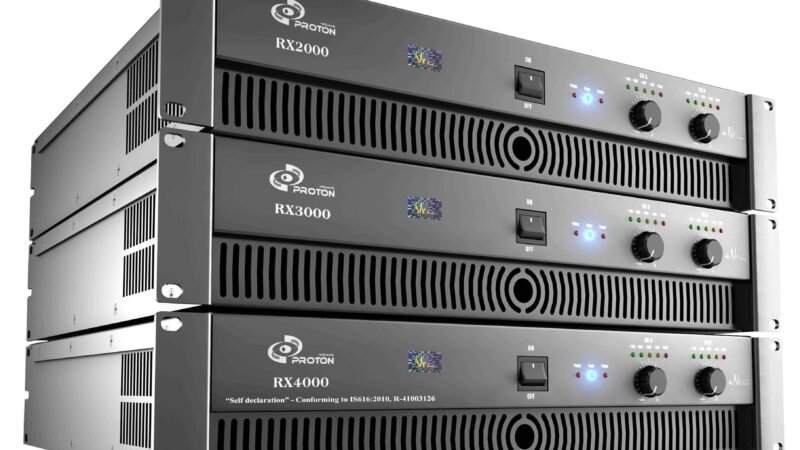
Commercial audio speakers should also match the amplifier and control system. Mismatched equipment can cause poor sound, system strain, or uneven performance.
Step 5: Consider Appearance And Installation
Office speakers must fit the space visually and practically. Ceiling speakers may suit clean office interiors. Wall-mounted speakers may work better where ceilings are too high, too difficult to access, or not suitable for installation.
Cable routes, ceiling access, fire safety rules, and maintenance access must be checked before installation. A speaker location that looks good on a drawing may not be practical on site.
Step 6: Test The System During Normal Conditions
Do not judge the system in an empty office only. Test it when people are present, air conditioning is running, and normal business noise exists.
Speech should be clear. Music should sit in the background. Staff should not need to compete with the audio. Visitors should not notice harsh volume changes when moving between areas.
The final setup should be adjusted after testing. Office audio planning is complete only when the system works in real daily use, not just during installation.